
Shock app bills: how to stop in-app purchases adding up


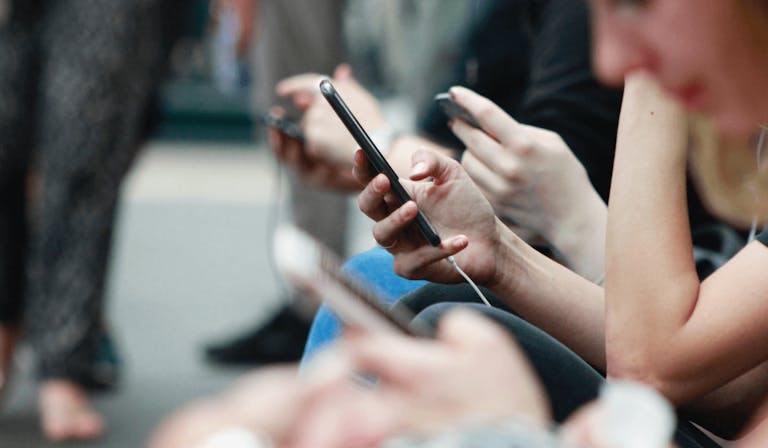
A few pounds spent inside an app might not feel like a big financial decision at the time. A game bundle here, a subscription trial there, a one-click upgrade when you are halfway through doing something else.
But those small taps can add up quickly.
New research from thinkmoney has found that half of Brits say they have felt pushed or manipulated into spending money through apps or online, with many people being hit by surprise app bills worth hundreds of pounds.
More than half of people surveyed said they had spent money on in-app purchases, while the average person had spent £216 on in-app purchases in the last year.
For those caught out by unexpected app charges, the total shock bill was even higher - £343 on average. Parents have also been affected, with some saying their children had spent more than £400 on in-app purchases they had not agreed to.
Why in-app purchases can add up so quickly
Many apps are built to make spending feel quick, easy and almost invisible.
That might mean a free trial that quietly rolls into a paid subscription, a countdown timer on a special offer, a paid boost in a game, or a one-click purchase that uses payment details already saved to your account.
Some of the techniques used aren’t a million miles away from those seen in gambling. Limited-time offers, streaks, rewards, loot boxes, countdown timers and constant prompts all tap into the same psychological triggers that encourage people to keep engaging and spending.
The difference is that many people don’t recognise these features as sales tactics because they’re wrapped up in entertainment, social media or everyday apps.
The apps where people are spending money
According to thinkmoney’s research, the apps where people were most likely to have spent money included TikTok, YouTube, Roblox, Candy Crush Saga and Monopoly Go!
The apps with the biggest average yearly in-app spends included Zwift, Peloton, Hinge, Strava and FIFA Mobile.
That does not mean these apps are doing anything wrong. Many people knowingly pay for fitness, dating, gaming, entertainment or creator content and feel they get good value from it.
The issue is when app spending becomes difficult to track, easy to forget when the novelty wears off (Peloton riders - we're looking at you, and me), or happens before you have properly thought about whether you can afford it.
Why younger people are being caught out by app spending
Gen Z were the most likely to say they had felt manipulated into spending money through apps, with more than half saying they had felt pressure to spend. They were also the most likely to be shocked by how much they had spent.
Almost two in five Gen Z respondents said they had received a surprise in-app bill in the last year, compared with 35% of Millennials, 17% of Gen X and 5% of Baby Boomers.
Millennials were the biggest spenders overall, saying they had spent £278 on in-app purchases in the last year, followed by Gen Z at £235, Gen X at £172 and Baby Boomers at £126.
The most common causes of unexpected app charges
The biggest causes of unexpected in-app bills were forgotten subscriptions and free trials turning into paid subscriptions, both cited by 27% of people who had been caught out.
Other common reasons included pressing something incorrectly, not realising card details were saved, and small payments adding up over time.
The problem is that small transactions don’t always feel like real money in the moment. A few pounds here and there can quickly snowball into hundreds of pounds over the course of a year, particularly when payment details are already saved and purchases can be made in seconds.
It’s encouraging to see stronger protections being introduced around subscriptions, but consumers should still make a habit of regularly checking their bank statements, reviewing active subscriptions and turning off automatic payments they no longer need. The easiest money to save is often the money you’re spending without realising.
How to stop in-app purchases becoming a surprise bill
You do not necessarily need to cut out app spending completely. Paid apps, subscriptions and in-app purchases can be useful, entertaining and worthwhile.
But you need to be mindful with your spending. Here are some tips to get in control of your app spending;
Check what you are already paying for
Start with your bank account or banking app and look back over the last few months of transactions. Search for payments to app stores, gaming platforms, streaming services, fitness apps and any names you do not immediately recognise.
Small payments are easy to dismiss individually, but if they are happening every week or every month, they can quietly become a much bigger part of your budget.
Review app subscriptions on your phone
Some app subscriptions are managed through your phone rather than directly with the app itself.
On Apple devices, you can check active subscriptions through your Apple ID settings. On Android, you can review subscriptions through Google Play.
It is worth checking both your bank statement and your phone settings, because a subscription might not always appear under the app name you expect.
Cancel free trial subscriptions before they renew
Free trials are one of the most common reasons people end up with unexpected app charges.
If you only want the free trial, set a reminder straight away or cancel it immediately if the service allows you to keep access until the trial ends.
A free trial can be a useful way to test something, but only if you are in control of when the paid part begins.
Turn off one-click purchases where you can
Saved card details make life easier, but they also make spending faster.
Where possible, add extra steps before purchases can be made. This could mean requiring a password, Face ID, fingerprint approval or other authentication before app purchases go through.
That extra pause can be enough to stop an impulse purchase becoming a payment you regret.
Use parental controls to stop children making in-app purchases
If your child uses your phone, tablet, games console or a shared family device, check the purchase settings carefully.
You may be able to require approval for purchases, block in-app purchases, remove saved card details, set spending limits, or use child accounts with restricted permissions.
It is also worth having a conversation with children about how in-app purchases work. In games especially, paid extras can feel like part of the fun rather than real money leaving an account.
Watch out for “best value” app bundles
Apps often frame bigger bundles as better value because you get more coins, credits, lives, boosts or features for your money.
That does not automatically make it a good deal. It is only better value if you genuinely planned to spend that amount in the first place.
Set yourself a monthly app spending limit
If you enjoy spending on games, fitness apps, dating apps or entertainment, you do not necessarily need to stop altogether.
A more realistic approach may be to set a monthly app spending limit. Decide what you can afford, keep it separate from essential bills, and stop when you hit it.
That way, app spending stays as a choice rather than becoming a nasty surprise.
What to do if you have been charged by an app unexpectedly
If you spot an app charge you do not recognise, check whether it has come through your app store, the app provider, your mobile phone bill or your bank account.
You can then contact the company to ask what the charge relates to and whether a refund is possible. If a child made the purchase without permission, explain that clearly.
You should also cancel any ongoing subscription if you no longer want it, remove saved payment details where possible, and keep confirmation of the cancellation.
If you believe a payment was unauthorised, contact your bank or account provider as soon as possible.
What to do if your app spending feels out of control
There is a difference between realising you have spent more than you meant to and feeling like you cannot stop spending, even when it is causing you stress, debt or anxiety.
If app spending has started to feel compulsive, or you are continuing to spend money you cannot afford because of games, loot boxes, paid boosts, subscriptions, social apps or other in-app purchases, it is worth taking that seriously.
A good first step is to put a barrier between yourself and the spending. That could mean deleting saved card details, turning off one-click purchases, adding password approval for every payment, removing the app for a while, or asking someone you trust to help you review what is going out of your account.
It can also help to tell one person. Shame and secrecy can make spending problems feel much bigger, but saying it out loud to a partner, friend, family member or support worker can make it easier to put practical steps in place.
If the spending is linked to gambling-style features, such as loot boxes, chasing rewards, paid spins, streaks or the feeling that you need “just one more go”, you may also benefit from specialist gambling support. Support is available if this kind of behaviour is affecting your finances, relationships or mental health.
You can contact the National Gambling Helpline, run by GamCare, for free confidential support on 0808 8020 133.
If app spending has pushed you into debt, or you are using overdrafts, credit cards or loans to keep up with payments, free debt advice is available from Money Wellness.
Most importantly, do not wait until things feel completely unmanageable before asking for help. If your spending is making you anxious, affecting your sleep, causing arguments, or making it harder to pay for essentials, that is enough of a reason to reach out.
Stronger rules on subscription traps are coming
The Government has announced tougher rules designed to make subscriptions clearer and easier to cancel, including better information before people sign up, reminders before certain renewals, and simpler online cancellation where people signed up online.
These changes should help, but they are not a substitute for keeping an eye on your own account.
In-app purchases, free trials and subscriptions can all have a place in your budget. The important thing is making sure you know what you are paying for, when you are paying for it, and whether you still want it.
< Back to articles