
thinkmoney virtual cards: what they are, why they matter and how to use yours


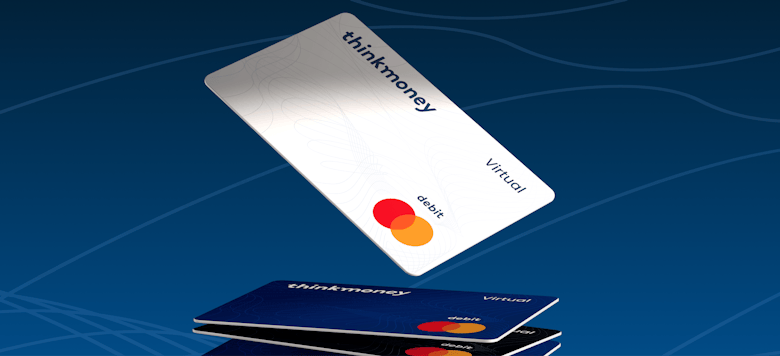
There is a new feature in your thinkmoney app, and while "virtual card" might not be the most thrilling phrase you will read today, what it actually lets you do is genuinely useful - particularly if you shop online, use subscriptions, or have ever had your card details compromised and faced the headache of updating them everywhere.
Here is what a virtual card is, why it is worth using, and how to get started in the app right now.
What is a virtual card?
A virtual card is a digital payment card that exists only in your app. It has its own unique card number, expiry date and CVC, completely separate from your physical thinkmoney card. Think of it as a second card that lives on your phone - one you can use anywhere your physical card would work online, but with a few extra benefits that your physical card does not have.
The key difference is control. With a virtual card, you can freeze it, unfreeze it or generate entirely new card details in seconds, directly from the app, without waiting for a replacement to arrive in the post.
Why use a virtual card instead of your physical card online?
Your physical card number is fixed. Once it is out there - saved on a retailer's website, stored in a subscription service, or entered into a payment form - it stays out there until the card expires or you report it lost or stolen. If those details are ever compromised, replacing them means a new card, a wait for delivery, and updating every direct debit and saved payment you have.
A virtual card solves that problem in two ways.
First, when you add your virtual card to Apple Pay or Google Wallet, your actual card number is never shared with the retailer at all. The payment is tokenised, meaning the retailer receives a one-time code that is useless to anyone trying to steal it. Your real card details stay completely private.
Second, if you ever do need to change your virtual card details - perhaps after a suspected compromise, or simply as a precaution - you can refresh them instantly in the app. New number, new expiry, new CVC, generated immediately. Your physical card carries on working exactly as before, completely unaffected.
Three things a virtual card is particularly good for
Free trials and one-off purchases
Using your virtual card for a free trial you might forget to cancel means that if the subscription does try to charge you after the trial ends, you can refresh your virtual card details and the charge simply will not go through. You stay in control even if you didn't cancel in time.
Shopping with unfamiliar retailers
When you are buying from a smaller or less familiar website, using your virtual card rather than your physical card means that even if their security is not what it should be, your main card details are never at risk. If anything looks wrong afterwards, you can refresh the details immediately rather than waiting for a replacement card.
Managing subscriptions more deliberately
If you want a clearer picture of what is being charged to your card each month, using your virtual card exclusively for subscriptions and your physical card for everything else gives you an instant way to see exactly what recurring payments are running. If a charge appears that should not be there, freezing the virtual card stops it in its tracks while you work out what happened.
How to find your virtual card in the thinkmoney app
First, make sure your app is updated to the latest version. You can do this in the Apple App Store or the Google Play Store. Once updated, here is where to find it:
Open the thinkmoney app
Go to the Cards section
Your virtual card will be available there alongside your physical card
Tap Reveal to see your full card number, expiry date and CVC - you will need to authenticate with your biometrics or passcode to view them
Your virtual card details can be added directly to Apple Pay or Google Wallet from the app, or you can use them to pay online by entering the details manually into any website or payment form, exactly as you would with a physical card.
What to know before you rotate your virtual card details
Rotating/refreshing your virtual card details - generating a completely new card number, expiry and CVC - is instant and permanent. The old details stop working immediately. This is the feature that makes virtual cards so useful for security, but it does mean there are a few things to sort beforehand.
Before you rotate, check whether you have any subscriptions or recurring payments set up using your current virtual card number. If you do, you will need to update those with the new details after the rotation. The app will walk you through this and ask you to confirm using your biometrics or passcode before the rotation completes -What to know before you rotate your virtual card details it will not happen by accident.
Any pending transactions on your account at the point of rotation will still complete as normal, so you do not need to worry about payments that are already in progress.
Your physical card is not going anywhere
For existing thinkmoney customers, your physical card continues to work exactly as it always has. The virtual card is an addition to what you already have, not a replacement. Both cards operate independently - freezing one does not affect the other, and changing the details on one does not change anything about the other.
One thing worth knowing for the future: from the week of 13 July 2026, the process for renewing an expired physical card will change slightly. Rather than a replacement being sent automatically, you will order your new card directly from the Cards section of the app when yours expires. This will not affect any existing customer until mid-2027 at the earliest, and thinkmoney will be in touch well in advance when that point approaches.
< Back to articles